Temporary Email Address for Sending: Complete Guide to Safe & Anonymous Emails (2026)

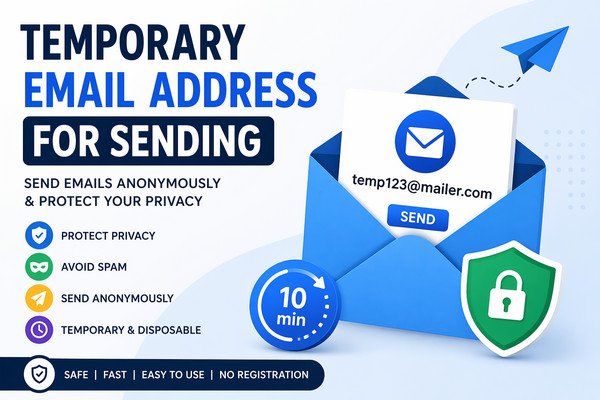
In today’s digital world, privacy is becoming more important than ever. Whether you’re signing up for websites, sending anonymous messages, or avoiding spam, using a temporary email address for sending emails is one of the smartest choices you can make.
A temporary email (also known as disposable email) allows you to send and receive emails without exposing your personal inbox. This guide will walk you through everything you need to know—from benefits and use cases to tools and best practices.
What is a Temporary Email Address?
A temporary email address is a short-term, disposable email ID that you can use for a limited time. Unlike traditional email accounts, it doesn’t require registration and automatically expires after some time.
Key Features:
- No sign-up required
- Instant creation
- Auto-delete after usage
- Anonymous communication
Why Use a Temporary Email Address for Sending?
Using a temporary email address for sending emails offers multiple advantages, especially in maintaining privacy and avoiding spam.
1. Protect Your Privacy
When you use your personal email, your identity is exposed. Temporary emails keep your identity hidden.
2. Avoid Spam
Signing up for unknown websites often leads to spam. A disposable email protects your primary inbox.
3. Anonymous Communication
Useful for whistleblowing, feedback, or contacting someone without revealing your identity.
4. Testing & Development
Developers often use temporary emails for testing applications and email systems.
How Does a Temporary Email Work?
Temporary email services generate a random email address instantly. You can use it to send and receive emails just like a regular account.
Basic Process:
- Visit a temporary email website
- Generate a random email address
- Use it for sending emails
- Inbox remains active for a limited time
- Automatically deleted after expiration
Best Use Cases of Temporary Email for Sending
Online Registrations
Avoid sharing your real email when signing up for unknown websites.
Sending Anonymous Emails
Send feedback, tips, or messages without revealing your identity.
Downloading Free Resources
Many websites require email verification—use a temporary email instead.
Multiple Account Creation
Helpful for testing or managing multiple sign-ups.
Top Temporary Email Services Sites
Here are some trusted platforms you can use:
1. Temp-Mail
- Easy to use
- Instant email generation
- Mobile-friendly
2. 10 Minute Mail
- Emails expire in 10 minutes
- Extend time option available
3. Guerrilla Mail
- Allows sending emails
- Custom email addresses
4. Maildrop
- Minimalist interface
- Spam filtering
5. EmailOnDeck
- Fast and secure
- Disposable inbox
How to Send Emails Using a Temporary Email Address
Step-by-Step Guide:
Step 1 – Choose a Service
Pick any temporary email provider like Temp Mail or Guerrilla Mail.
Step 2 – Generate Email
The system will automatically assign you a temporary email address.
Step 3 – Compose Email
Use the platform’s interface to write and send your email.
Step 4 – Send & Track
Send the message and check responses in the temporary inbox.
Temporary Email vs Permanent Email
Key Differences
| Feature | Temporary Email | Permanent Email |
|---|---|---|
| Lifespan | Short-term | Long-term |
| Registration | Not required | Required |
| Privacy | High | Medium |
| Spam Risk | Low | High |
| Storage | Limited | Unlimited |
Are Temporary Emails Safe to Use?
Temporary emails are generally safe but depend on how you use them.
Pros
- Protects identity
- Prevents spam
- No personal data required
Cons
- Limited lifespan
- Not suitable for important communication
- Some sites block disposable emails
Best Practices for Using Temporary Emails
Do’s
- Use for short-term purposes
- Avoid sharing sensitive data
- Use trusted services
Don’ts
- Don’t use for banking or personal accounts
- Avoid long-term communication
- Don’t rely on it for password recovery
Future of Temporary Emails (2026 Trends)
With increasing concerns about privacy, temporary emails are evolving:
Trends to Watch
- AI-based spam filtering
- Better encryption
- Longer usability options
- Integration with browsers
Conclusion
Using a temporary email address for sending is a smart and efficient way to protect your privacy online. Whether you’re avoiding spam, testing services, or sending anonymous messages, disposable email tools offer a quick and secure solution.
However, they should be used wisely and not for sensitive or long-term communication. By following best practices and choosing reliable platforms, you can make the most out of temporary email services.
FAQs (Frequently Asked Questions)
Q1: Can I send emails using a temporary email address?
Yes, some services like Guerrilla Mail allow sending emails directly from temporary addresses.
Q2: Are temporary email addresses legal?
Yes, using temporary emails is completely legal unless used for malicious purposes.
Q3: Can I receive replies on temporary email?
Yes, but only within the active time before the email expires.
Q4: Do websites block temporary emails?
Some websites restrict disposable email domains to prevent spam.
Q5: Is temporary email safe for OTP verification?
It works for OTP verification, but not recommended for important accounts.
Read More:-